
Webflow CMS for hundred-page articles: dynamic table of contents, infinite scroll and GetResponse

About the project
I was given the Delphi Design concept and a content model with an unusual constraint: individual items that can run for hundreds of pages. Most Webflow blog templates assume a few screens of text. I needed one that does not fall apart at a hundred times that.
Key Takeaways
- Built for hundred-page texts. The main engineering problem was content size: a template and a CMS that survive texts of hundreds of pages.
- Layout driven by CMS fields. Structure comes from the data and not from manual formatting.
- Contents and infinite scroll. Research gets a dynamic table of contents; Feed gets infinite scroll.
- Light motion, built-in subscription. GSAP adds scroll animation, page transitions and smooth scroll; GetResponse handles subscriptions.
CMS architecture for very long texts
Each content type has its own collection, with fields for everything the template needs. Layout is bound to those fields, so the editor's job is limited to the content itself. Research and Feed live in separate collections, which lets each page type behave differently without workarounds.
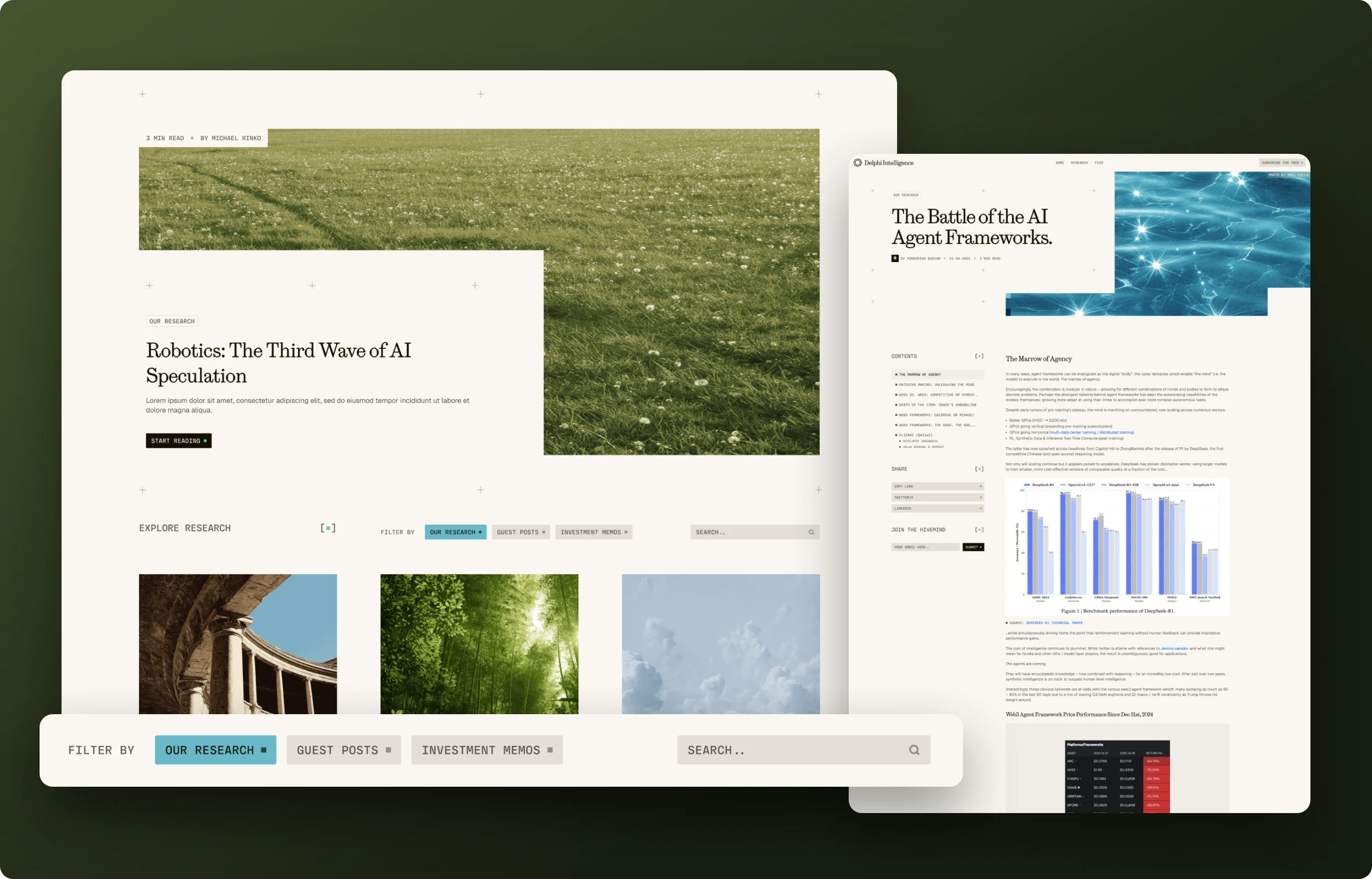
Research template and the dynamic table of contents
Every Research article has a dynamic table of contents for moving through the text, so the contents follow the article and are not a list someone writes by hand. Typography and spacing are set for long reading sessions.
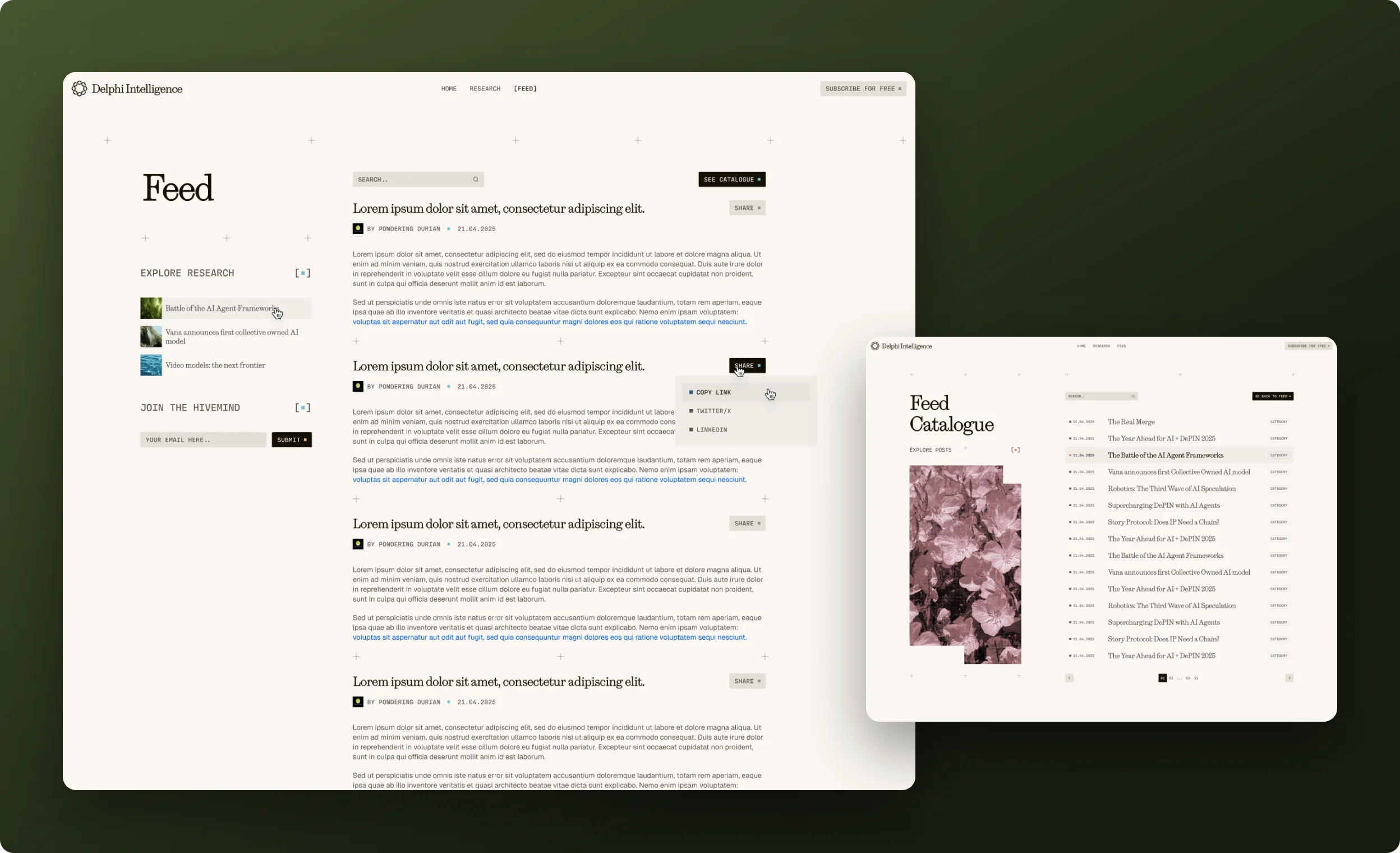
Feed with infinite scroll
The Feed holds short items, so it behaves differently: a list that keeps loading as the user scrolls, with no pagination to click through. It sits on the same CMS foundation as Research, which keeps the build consistent.
GSAP motion over a content site
I used GSAP for scroll animation and micro-interactions, with page transitions and smooth scroll on top. The rule on a reading site is that motion must stay behind the text, so effects are light, and I paid attention to performance so that animation does not compete with long pages for resources.
Subscription modal and GetResponse
The subscription modal follows the existing design and sends the address into GetResponse. Automation and list management stay on the GetResponse side, so my part is the front-end form.

Outcome
The build is easy for admins to operate and visually advanced, and it stays fast. Delphi Design’s Thaxnay Kapdee described working with Roman Savchuk as “swift, capable, creative”.
Working with Roman is a dream for any manager or project owner, he is swift, capable, creative and knows how to get the job done in style. Thank you Roman for making it so easy for us!

FREQUENTLY ASKED QUESTIONS
01How do you structure a Webflow CMS for articles that are hundreds of pages long?

Define the structure in fields up front and let the template handle layout, so an upload is just content plus fields.
02Why generate the table of contents dynamically?
So it always reflects the article, and editors never maintain it manually.
03What is infinite scroll good for in Webflow?
Short-form lists where users browse continuously. Here it powers the Feed, while long articles stay on their own pages.
04How is a mailing tool connected to a Webflow site?
A subscription modal collects the email and passes it to the mailing platform. In this build it is GetResponse.
05How do you keep animation from hurting a text-heavy page?
Keep it light, put it behind the content and keep an eye on performance, so reading is never interrupted.